7 clear steps No-login marketplace Enquiry becomes a lead
01 → 07
One listing, tracked from creation to enquiry
The marketing & sales journey
Every step has a clear owner.
Explore the complete journey from the sales dashboard to the public page a buyer actually sees. Select a step to inspect it.
Step 01 Sales dashboard
Track
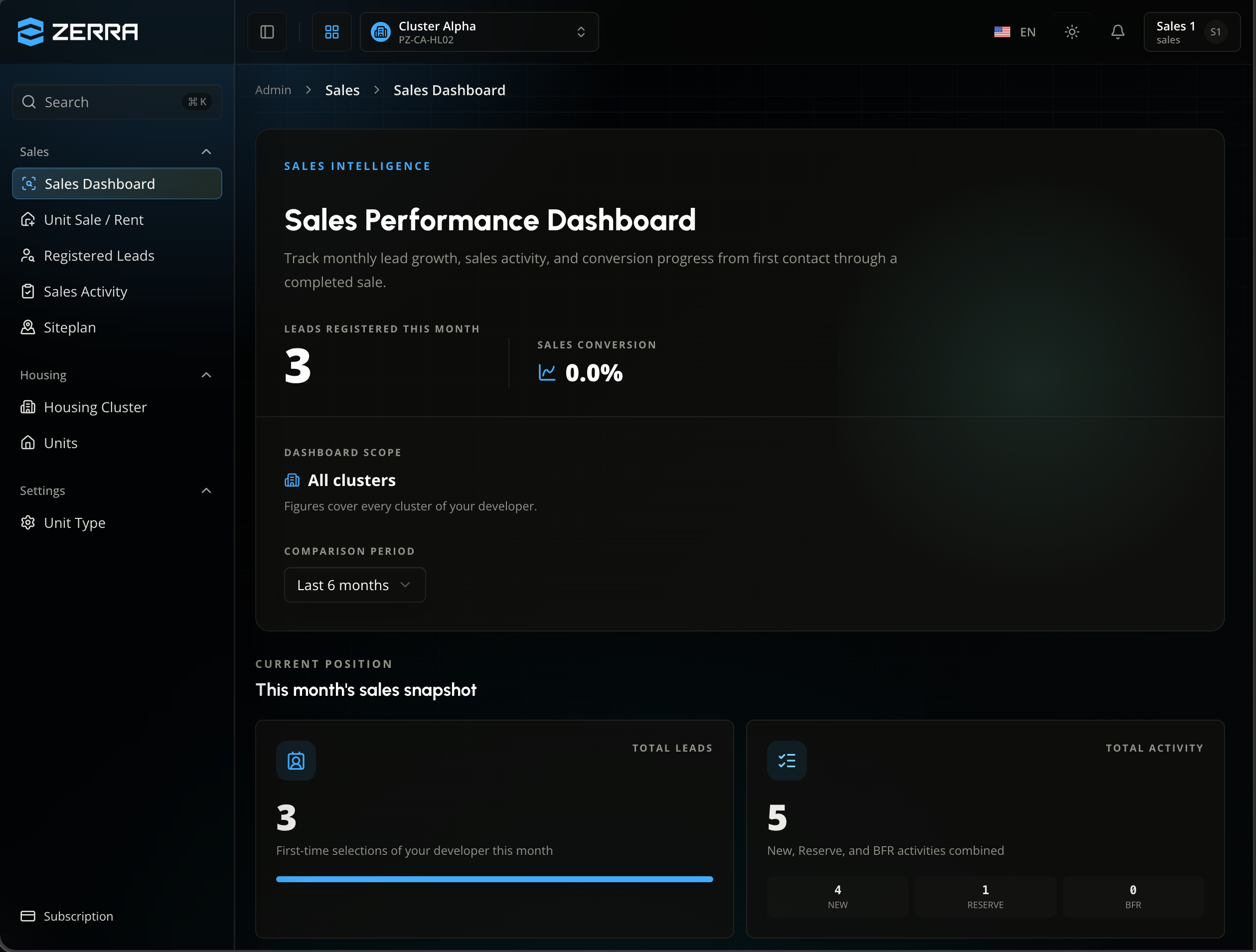
See the sales pipeline at a glance
The sales dashboard shows this month's registered leads, sales activity by stage, and how many have converted — across every cluster the team manages.
One dashboard replaces reports stitched together from separate clusters.
01
01 / 07
07
Step 02 Sales dashboard
Register
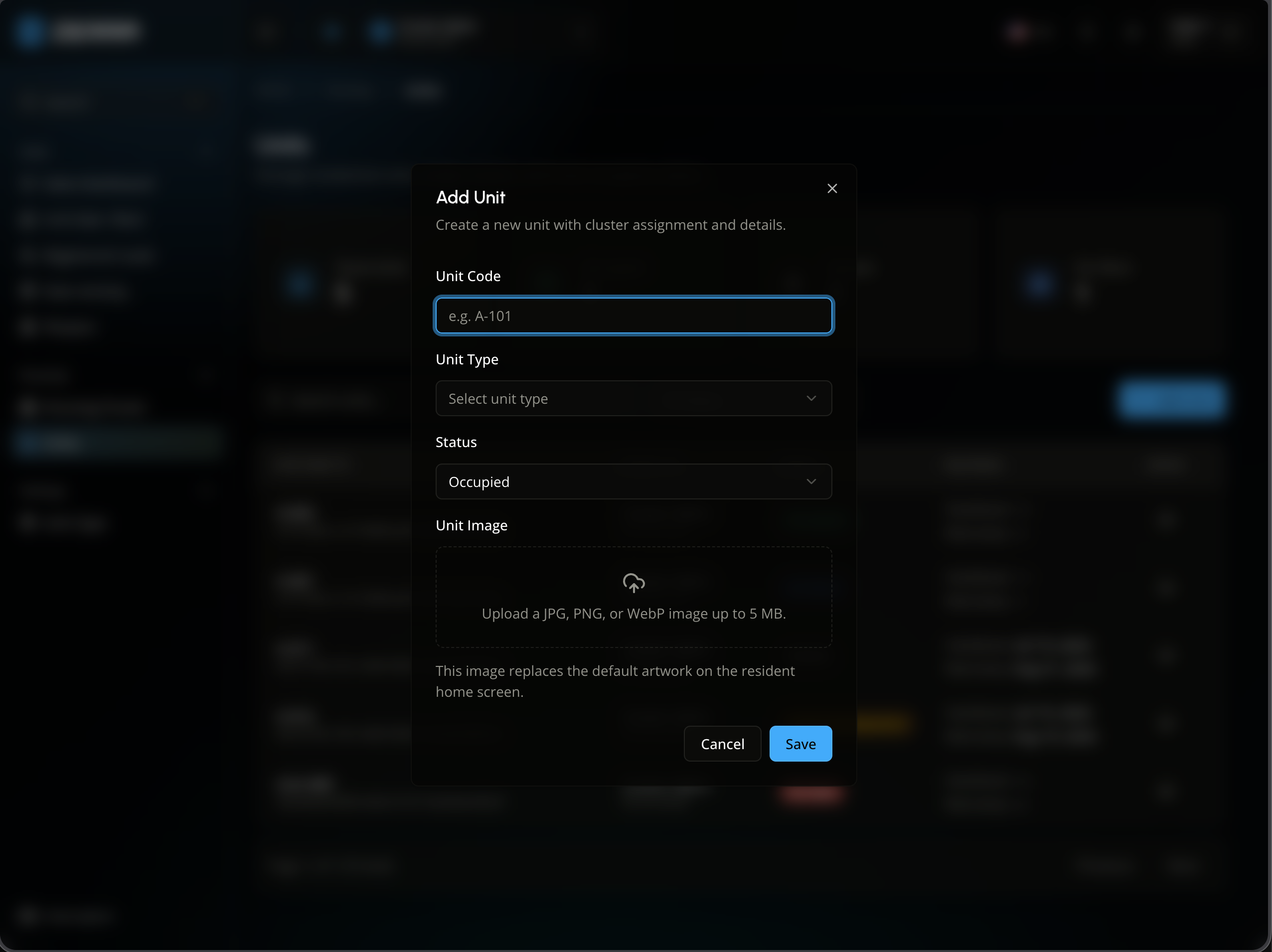
Register the unit
Before it can be marketed, a unit exists as a record: a unit code, a unit type, and the cluster it belongs to.
Every listing traces back to one real unit — no orphaned listings, no duplicates.
01
01 / 07
07
Step 03 Sales dashboard
Prepare
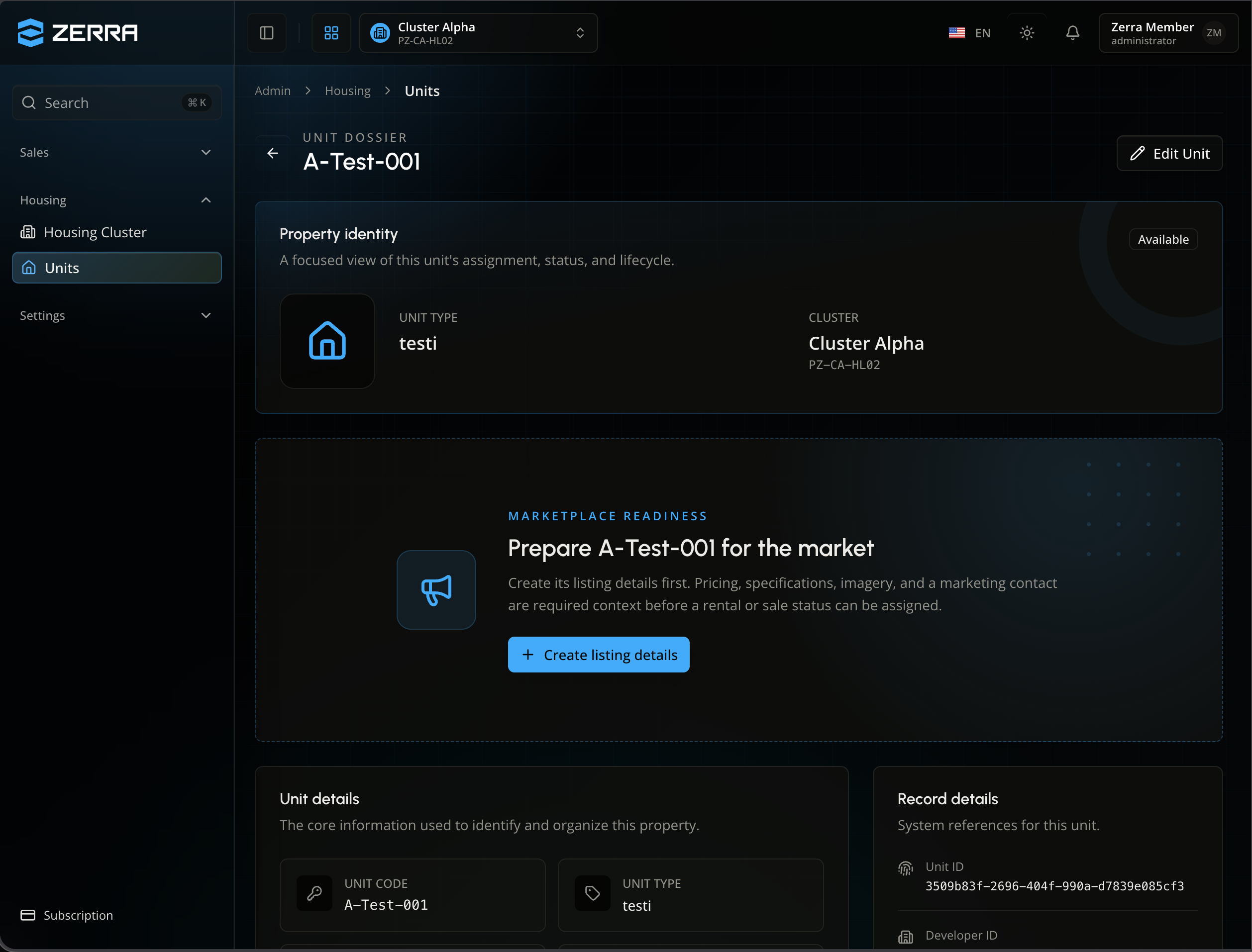
The unit flags what's missing
The unit dossier tracks marketplace readiness. A unit can't carry a for-sale or for-rent status until its listing details — pricing, specs, imagery, marketing contact — exist.
The system enforces the order: no listing goes live half-finished.
01
01 / 07
07
Step 04 Sales dashboard
Build
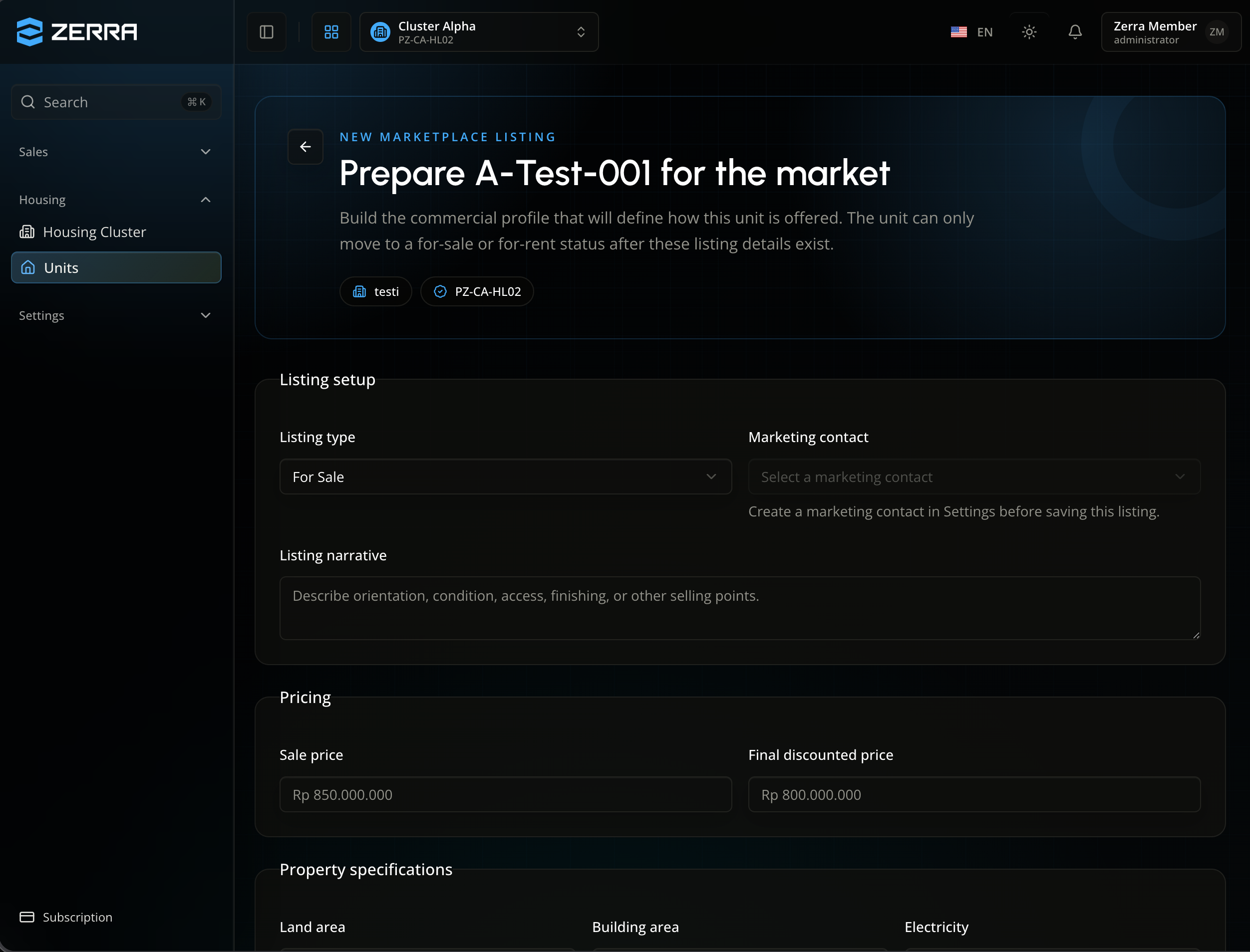
Build the commercial profile
Choose for-sale or for-rent, write the listing narrative, set pricing, and assign a marketing contact — the salesperson a visitor can request by name.
Pricing, specs, and story live in one listing form, not scattered across chats and spreadsheets.
01
01 / 07
07
Step 05 Sales dashboard
Manage
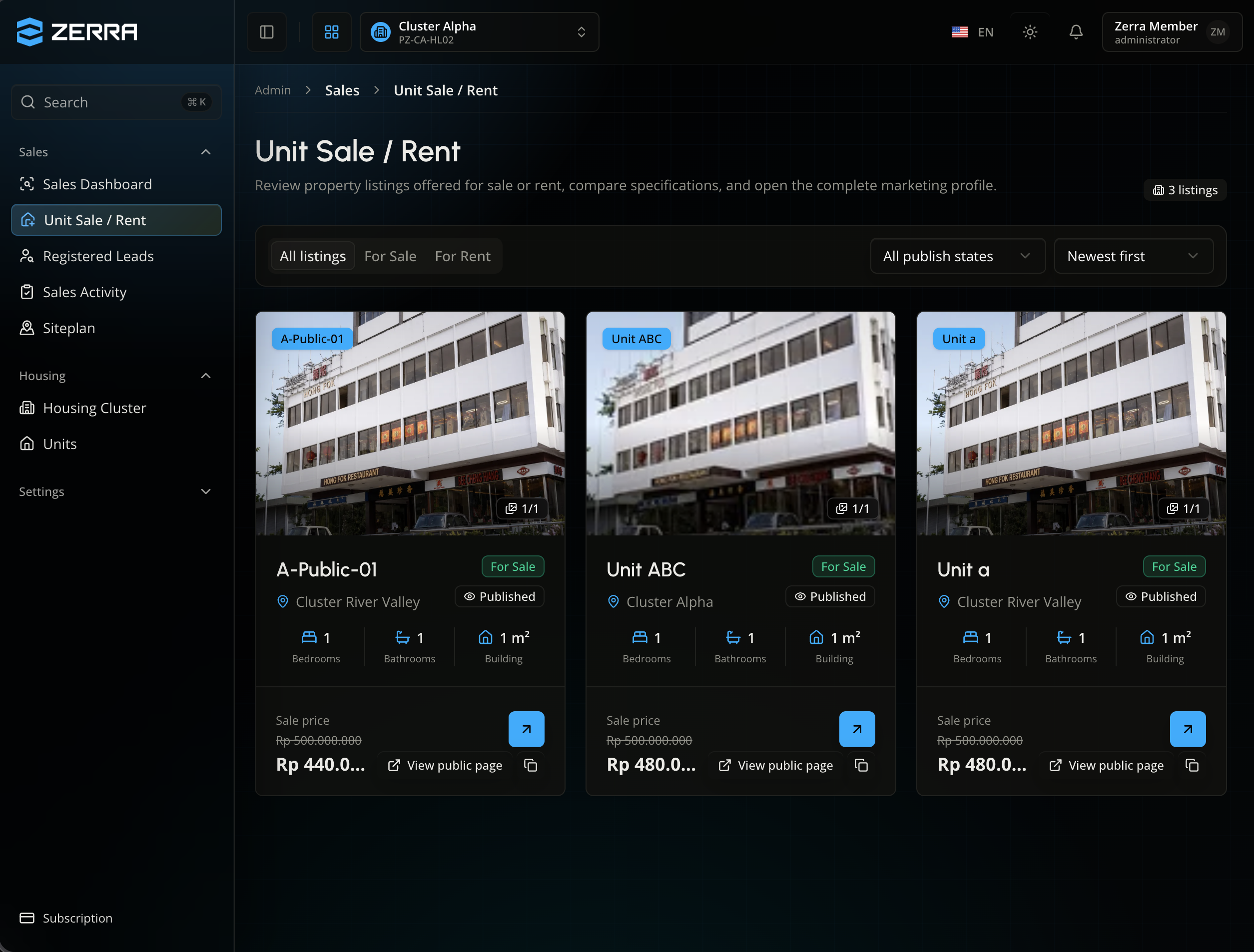
Manage every listing in one place
Unit Sale/Rent gives sales teams a filterable view of every listing — published or not, for sale or for rent — with a direct link to its live public page.
A listing only reaches the public site once its unit and cluster are both published.
01
01 / 07
07
Step 06 Public marketplace
Discover
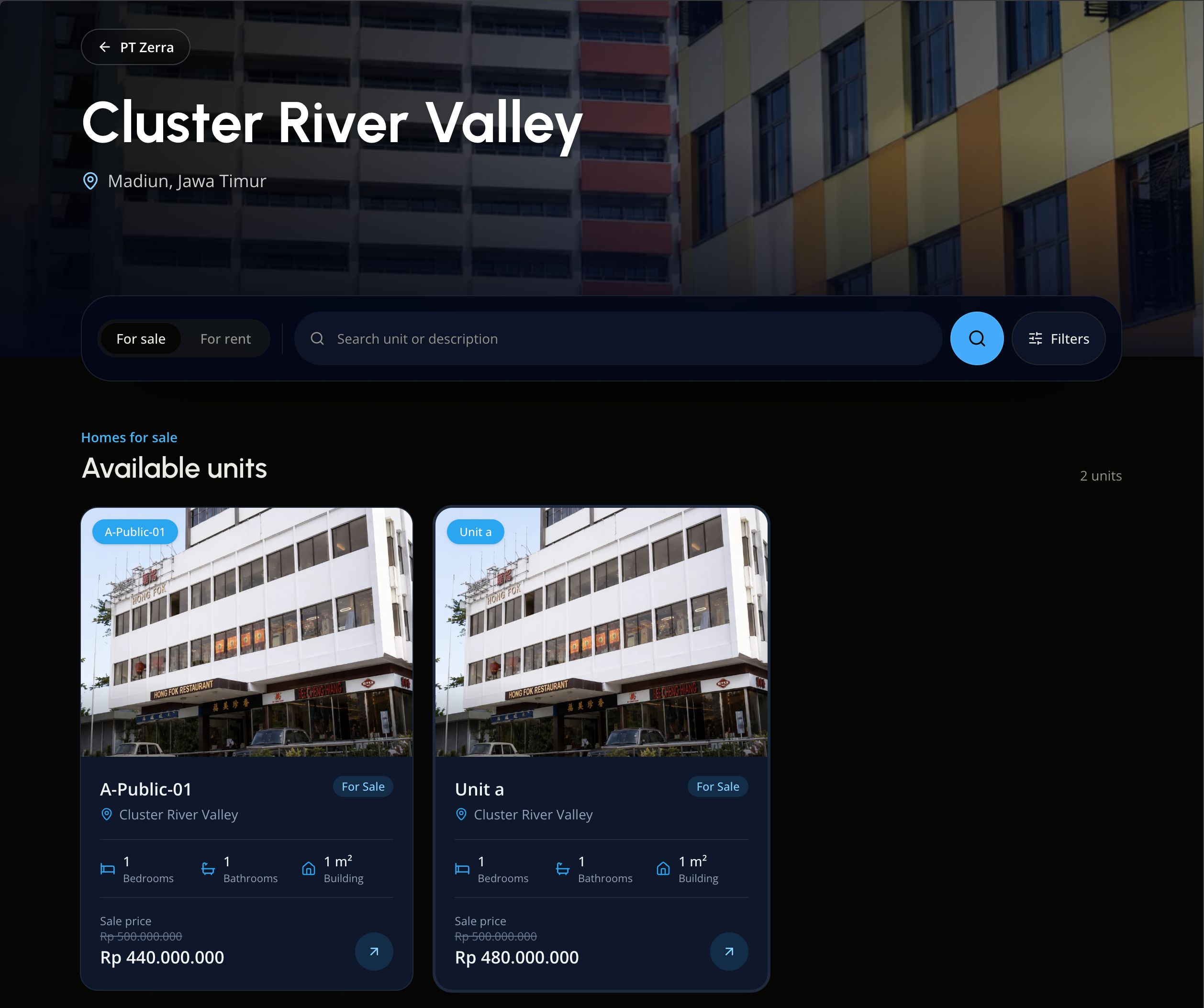
Buyers browse with no account
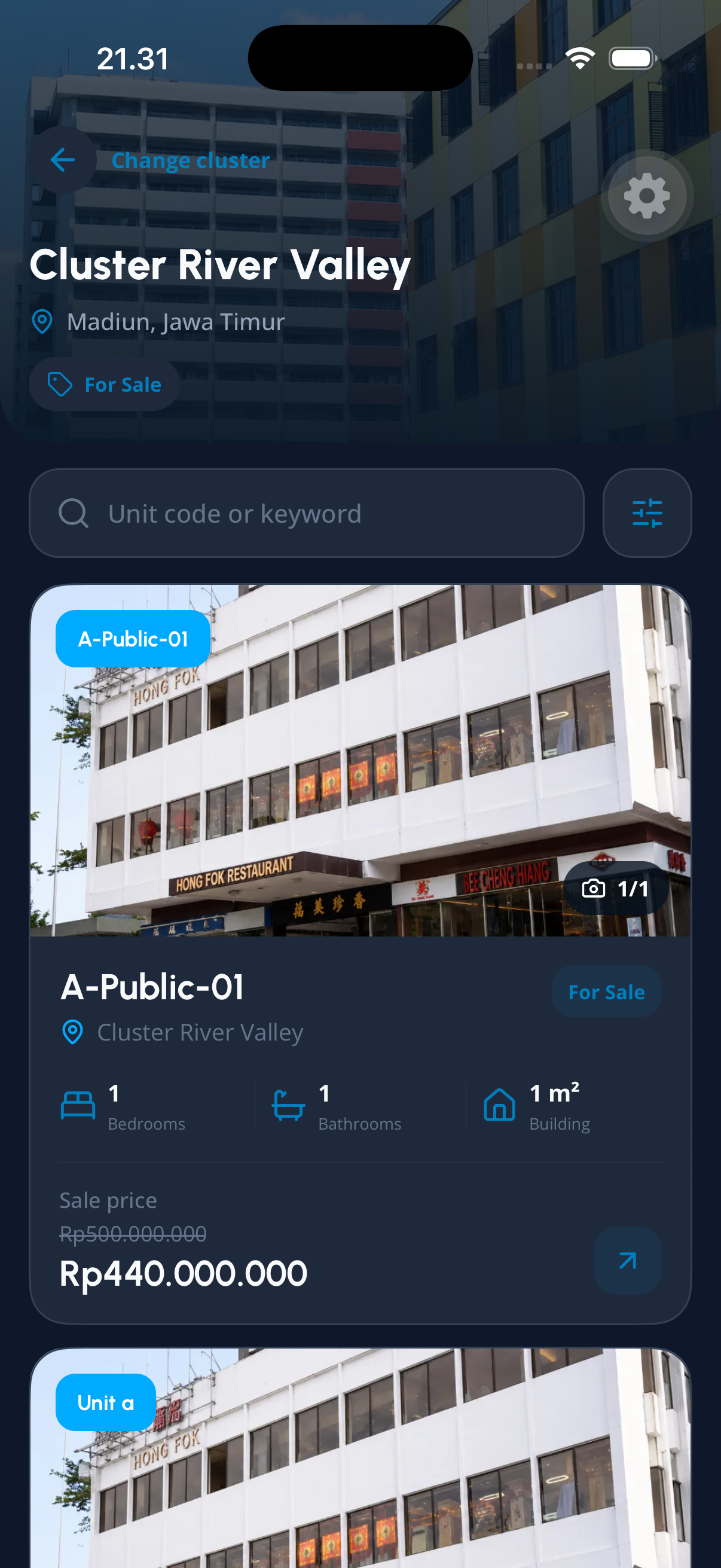
Cluster River Valley's public page lists every available unit for sale or rent — no sign-in, no staff phone number, just what's on the market and its price.
The public marketplace works the same on desktop and on a buyer's phone.
01
01 / 07
07
Step 07 Public marketplace
Enquire
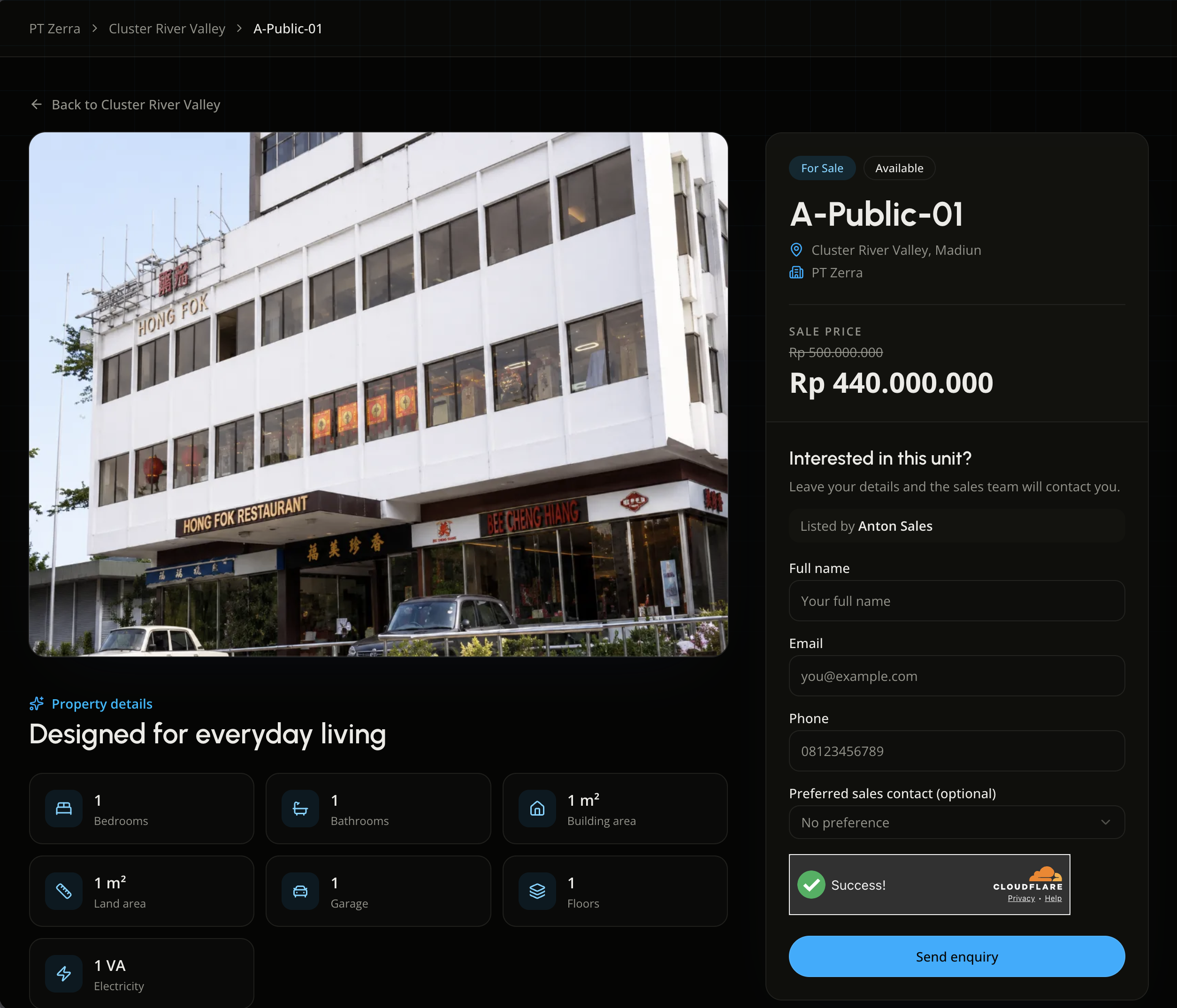
One enquiry, one tracked lead
A buyer leaves their name, email, and phone, and can optionally request a specific salesperson. The moment they submit, the enquiry is registered as a lead.
No staff phone numbers on this page — every conversation starts on the record, from the first message.
01
01 / 07
07
Behind one listing
One unit, one source of truth, all the way to a lead.
The flow keeps the sales team, the public listing, and the lead register aligned on the same unit—without duplicate entry.
01 · Sales
Sales prepares the listing
Unit, pricing, specifications, and a marketing contact are set before a unit can carry a for-sale or for-rent status.
02 · Marketplace
The marketplace publishes it
The listing appears on the cluster's public page once both the unit and its cluster are published—no login required.
03 · Lead
The enquiry becomes a lead
Every submitted form is registered as a lead immediately, along with a requested salesperson when the buyer names one.
Less manual follow-up
Turn every unsold unit into a tracked sales pipeline.
Bring listings, the public marketplace, and the lead register together with ZerraLivin.